Vision Mobile App
The Vision Mobile App gives users access to key Vision tools while they are away from the web version. The app is designed as a compressed, on-the-go version of Vision, making it especially useful for field technicians who need to access and update information while working outside of the office.
While the mobile app does not replace the full web version of Vision, it provides field-focused access to the information and tools technicians need throughout the day.
Quick Links
Common Uses
Field technicians can use the Vision Mobile App to:
-
View assigned tickets
-
Complete workflow tasks
-
Take and upload photos of completed work
-
View scheduled calendar events
-
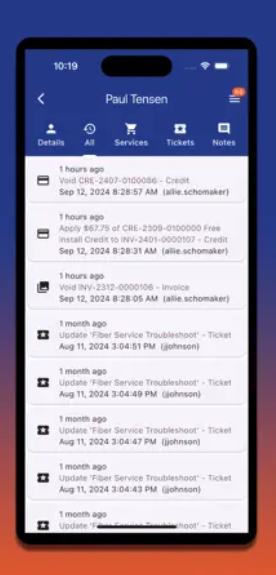
Access subscriber, location, and service information
-
Update work from the field without needing to return to the office
This helps keep field work connected to the rest of Vision, so updates made in the app can support internal teams, workflows, scheduling, and subscriber records.
Mobile App Navigation
The Vision Mobile App includes several pages and tools that help users access important information while working from a mobile device. For a full breakdown of the app menu, navigation options, and where each section leads, see the Mobile App Navigation page.
For more instructions on how field technicians can navigate and use the Vision Mobile App, see the Field Technician page.
App Updates
Like the Vision web version, the Vision Mobile App is updated regularly. Mobile app updates are tracked separately from the web release notes.
To review recent mobile app changes, see the App Release Notes.
Accessing the Vision Mobile App
To use the Vision Mobile App, Vision staff will create a mobile app version for your tenant. Once the app version is ready, Vision will provide the mobile download links for your organization. There will be separate links for both Android and Apple.
Vision mobile apps are unlisted in the app stores, meaning they cannot be found by searching the public app store. Users must use the download links provided by Vision to access and install the app.