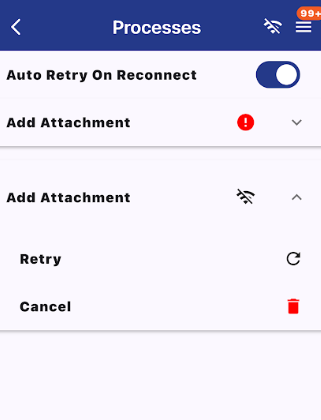
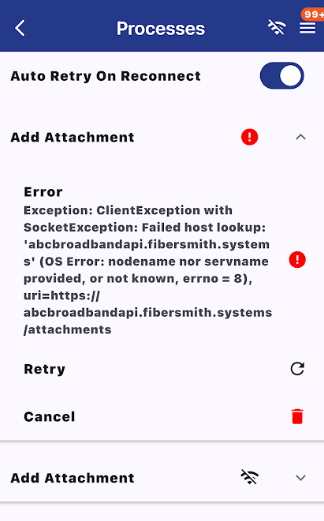
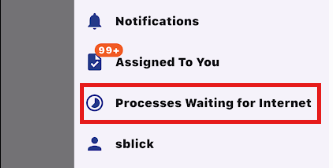
Processes Waiting for Internet
The Processes Waiting for Internet page shows app processes that are waiting to finish because the mobile device had limited or no internet connection. This can include file uploads, photo uploads, workflow processes, or other app actions that were unable to complete while the device was offline or had a weak connection.
Depending on your app settings, waiting processes may automatically retry once the device reconnects to the internet. Users can return to this page to review pending items, confirm whether processes have completed successfully, or identify any items that may still need attention.
The page has a toggle that can retry the file uploads when reconnected to the internet. Then it will display any processes that were unable to complete, as well as the reason for the process not completing. It will mention the type of process ie. "Add attachment". In the photo, there are two different types of reasons for the processes not finishing, the first one was an error where the internet was lost halfway through, and the second one is where there was no internet to begin with. In the accordion for each process, there is options to retry or cancel the given process.