CPNI
CPNI, or Customer Proprietary Network Information, helps verify a subscriber’s identity before account-specific information is shared. In Vision, subscribers can set a CPNI PIN and security questions to help protect access to their account.
Quick Links
Vision also includes a tenant setting that can require employees to enter the subscriber’s CPNI PIN before viewing the subscriber account, adding another layer of protection for customer information. To enable, please contact the Vision Support Team.
CPNI Via Subscriber Page
Internally, the CPNI icon appears near the top of the subscriber account next to the subscriber’s name. Employees can use this to verify a customer’s identity over the phone before providing account information.
How to Edit CPNI
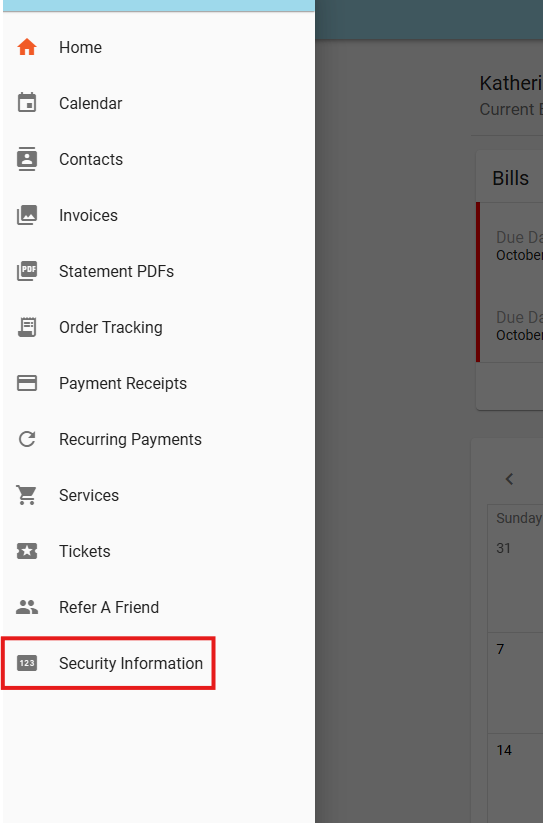
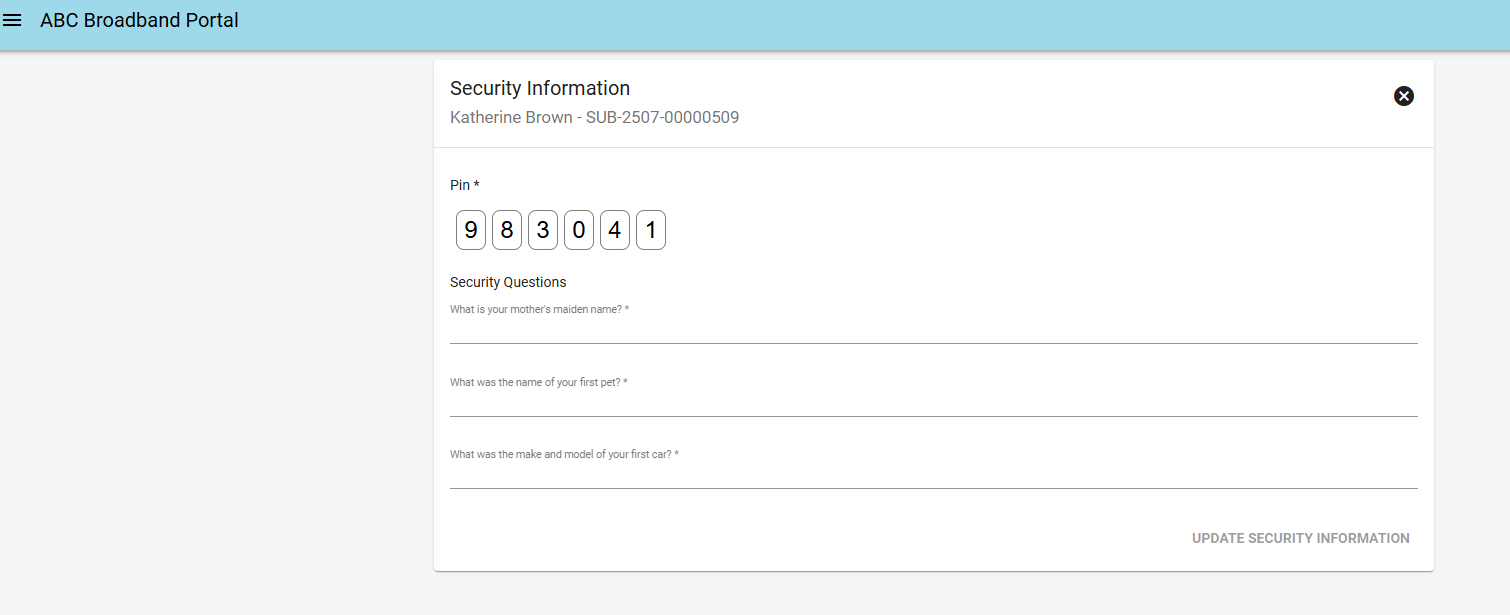
Subscribers can create or update their CPNI information from the "Security Information" tab in the Subscriber Portal.
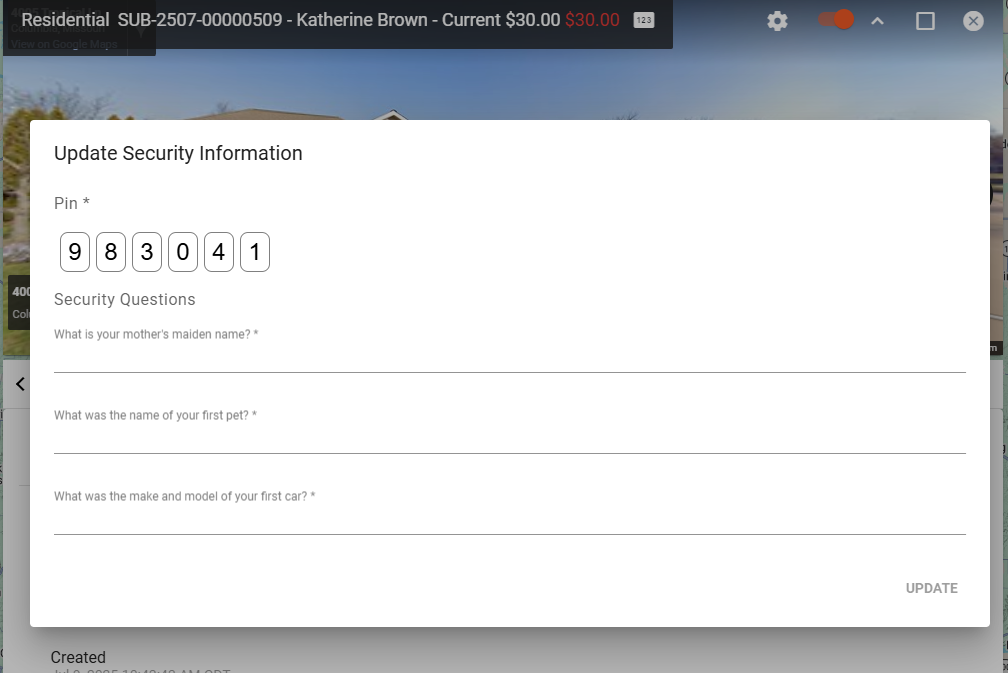
CPNI can also be changed internally by employees by clicking the CPNI icon on the subscriber's page.
Set CPNI During Onboarding
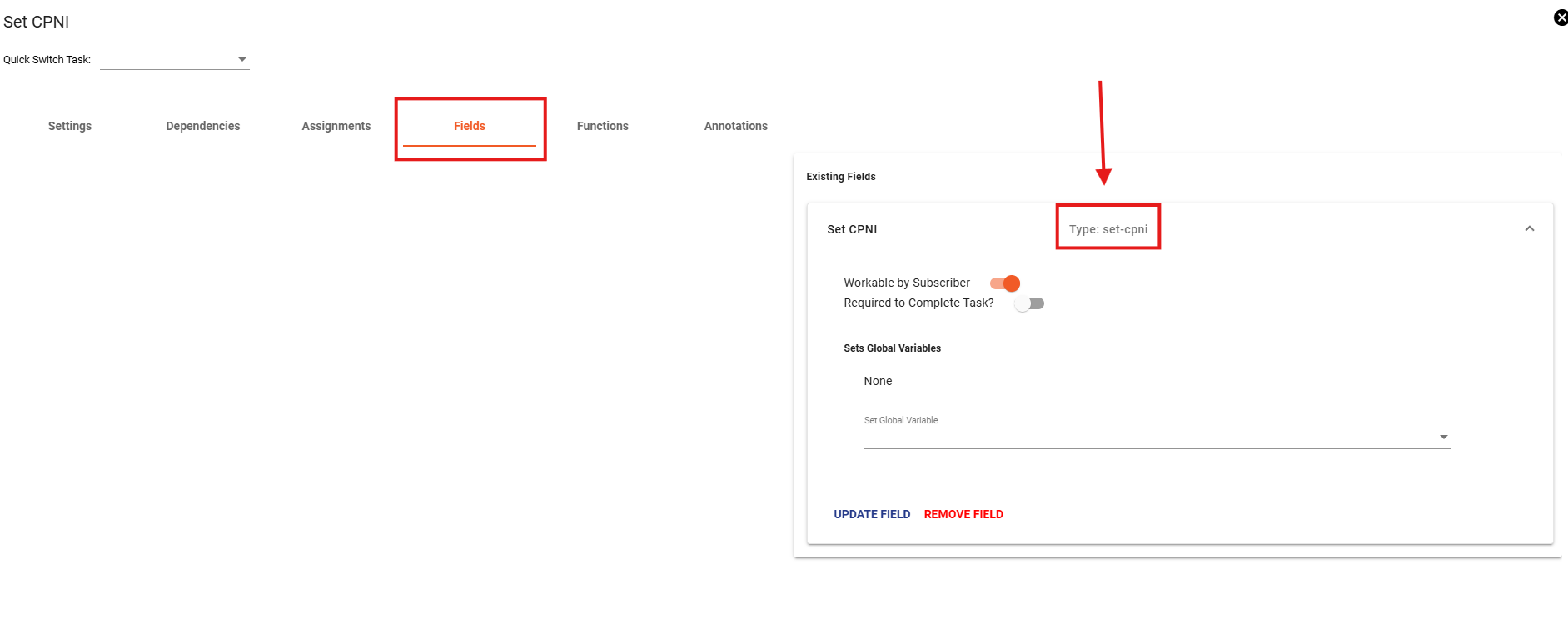
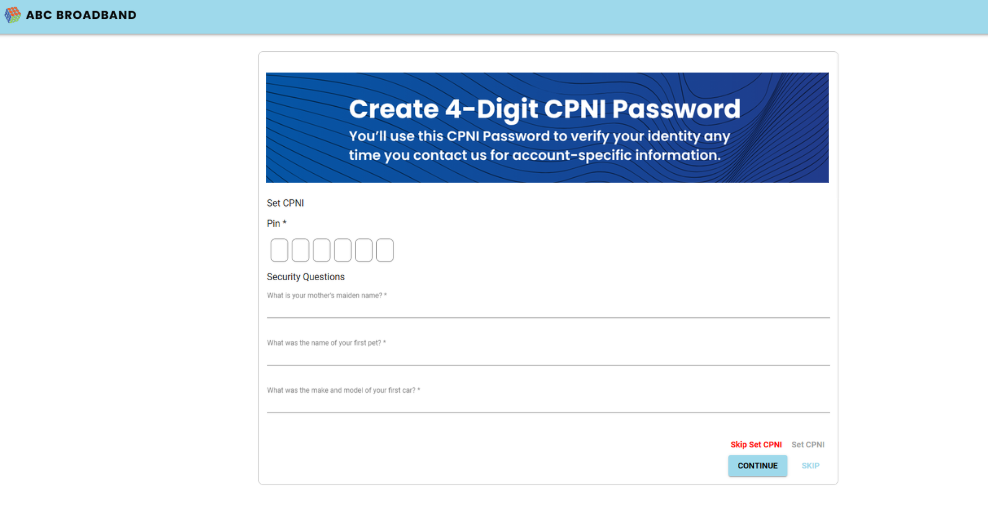
Vision also includes a CPNI task field that can be added to a subscriber package workflow, allowing subscribers to set their CPNI information during signup.
CPNI Settings
Vision includes configurable CPNI settings for the public Shopping Cart. These settings control how subscribers create their CPNI information during signup.
- The pin4Digits setting allows the CPNI PIN to use a 4-digit format as opposed to a 6-digit code.
- The noQuestionsInShoppingCart setting removes the security questions from the Shopping Cart CPNI setup process. When enabled, subscribers only need to create their CPNI PIN during signup.
These are tenant settings so if interested in enabling, please contact the Vision Support Team.