Mobile App Ticket Page
Tickets in the Vision Mobile App allow field users to review and manage ticket information while working from a mobile device. Users can access tickets through subscriber pages, the Search tool, or the Assigned To You tab when a ticket or related task has been assigned to them.
This gives field technicians a quick way to view ticket details, review subscriber information, complete related work, and keep ticket activity updated while they are in the field.
Quick Links
Details
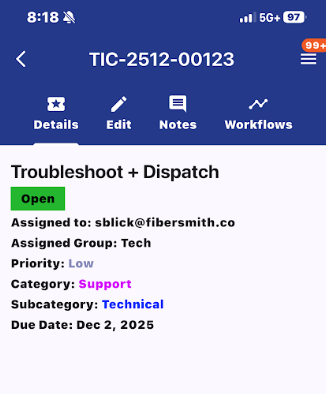
The details tab on the ticket page contains the basic details of the ticket. This includes the name of the ticket, the status, who it is assigned to, priority, category, and due date.
Edit
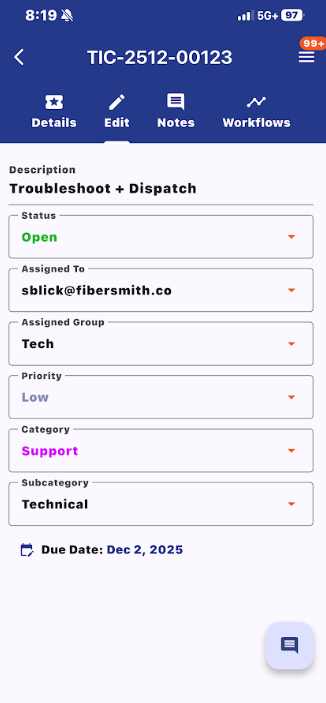
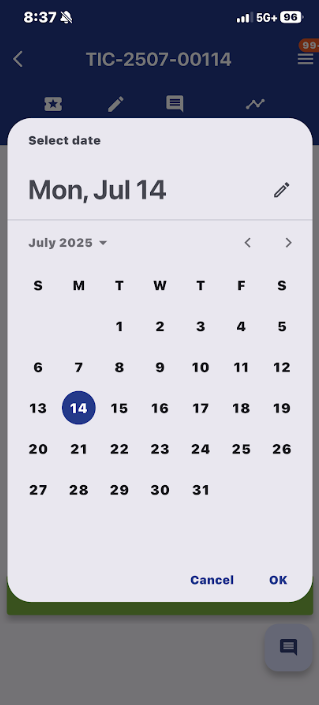
The edit tab allows users to update key ticket details from the mobile app. From this tab, users can change the ticket status, assignment, priority, and category. Users can also select the due date field to open a date picker and update the ticket’s due date.
Notes
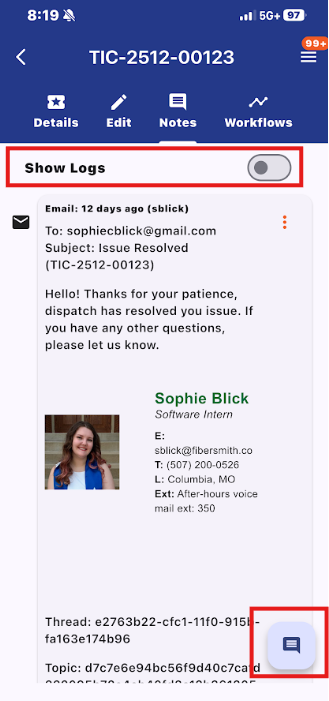
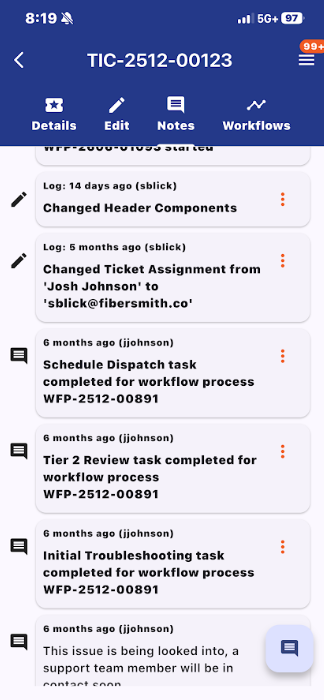
The Notes tab allows users to view notes and emails attached to the ticket. If "Show Logs" is enabled, users can also view changes that have been made to the ticket.
Notes can be added from any ticket tab by selecting the notes bubble in the bottom-right corner. This opens the add note screen, allowing users to quickly add updates without needing to navigate back to the Notes tab first.
Workflows
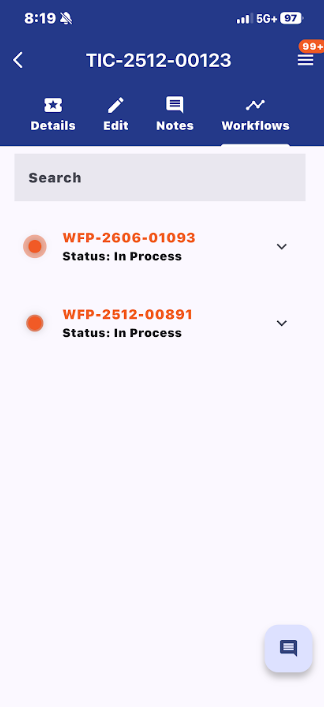
The Workflows tab shows any workflows attached to the ticket. Each workflow displays its workflow number and current status.
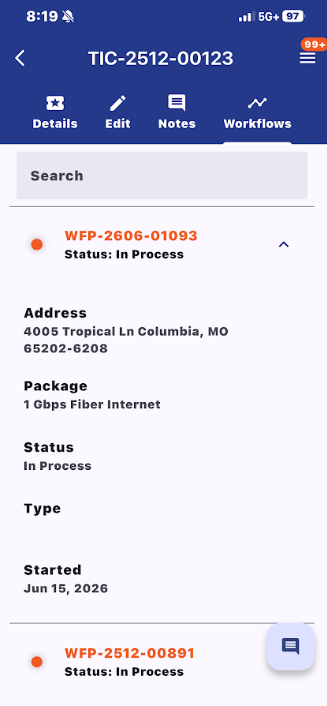
Users can expand a workflow to view additional details, such as the address, package, status, type, and start date. To open the full workflow page, select the workflow process ID in the workflow header.